
Cyber Security
A layered security stance, built in as standard — not bolted on later.
Cyber security is not a destination, it is a journey. Every workstation, mailbox, and network we manage starts from the same default security stance — a combination of technology and process that protects your business around the clock, with more advanced options available as your risk profile grows.
OUR DEFAULT SECURITY STANCE, APPLIED TO EVERY CUSTOMER
Robust security relies on technology and clearly defined process working together. What follows is the baseline protection every Logical Solutions managed customer receives as standard — not an add-on, and not something you need to ask for.
Workstation & Device Security
Hardened at the device, wherever it’s working from.
Most businesses run on the Microsoft ecosystem, so we build directly on Windows and Office 365’s own security foundation — both of which align with standards including PCI DSS, NIST, ISO 27001/27018, and GDPR.
- Microsoft Defender Antivirus
Real-time antivirus and malware protection, updated continuously to defend against emerging threats. - Automatic updates & patching
Regular updates close newly discovered vulnerabilities before they can be exploited.
- Secure Boot & TPM 2.0
Hardware-level protection against unauthorised access, built into every modern managed device. - Defender SmartScreen
Blocks phishing attempts and malicious websites before a user ever reaches them.
Email Security
Email is still the number one way attackers get in.
We manage your email through Microsoft 365 Hosted Email and Microsoft Defender for Office 365 Plan 1, layering additional protection on top of the built-in spam filtering, malware detection, and encryption.
- Multi-Factor Authentication
Requires more than a password to sign in, closing off the most common route into a compromised account. - Safe Links
Every URL is rewritten and analysed in real time when clicked, blocking malicious destinations on the fly.
- Safe Attachments
Attachments are opened and scanned in an isolated sandbox before they ever reach an inbox. - Anti-phishing & data loss prevention
Detects spoofing and fraudulent emails, and helps prevent sensitive information leaving the business by accident.
Firewalls & Network Monitoring
Protection at the device and at the perimeter.
A single firewall is never enough on its own — especially with teams working from the office, from home, and from public Wi-Fi. We layer two, and watch both.
AT THE DEVICE
Workstation firewalls
Every managed workstation runs its own firewall, adapting automatically to whichever network it’s connected to — corporate, home, or public.
It operates on a default-deny basis: any traffic not explicitly permitted is blocked, with minimal configuration required from the user.
AT THE PERIMETER
Network edge firewall & SIEM
A firewall sits between your network and the internet, filtering traffic against continuously updated threat intelligence and blocking known bad actors before they arrive.
Our SIEM monitors its “deny” activity against a normal baseline. Any spike triggers automatic anomaly detection — raising a ticket with our engineering team immediately, not after the fact.
Ongoing Monitoring
Watched continuously, not checked occasionally.
Every managed workstation carries our engineering toolset, giving us visibility from both a performance and a security perspective.
- Patch & update compliance
If a device falls behind on updates, our helpdesk is notified automatically and follows up without you needing to raise it.
- Proactive issue reporting
Selected system errors are reported straight to our helpdesk, so problems are often caught before they’re noticed.
Want More?
Optional services for businesses that need a higher bar.
Not every business has the same risk tolerance or compliance obligations. These sit on top of the default stance and are scoped to fit your business.
- Change Control Management
Formal, tracked, and documented change requests through our helpdesk — reducing risk for businesses that need it. - IT Security Policy Documents
Acceptable use, access control, incident response, and other policy templates, customised to your organisation.
- User & Security Awareness Training
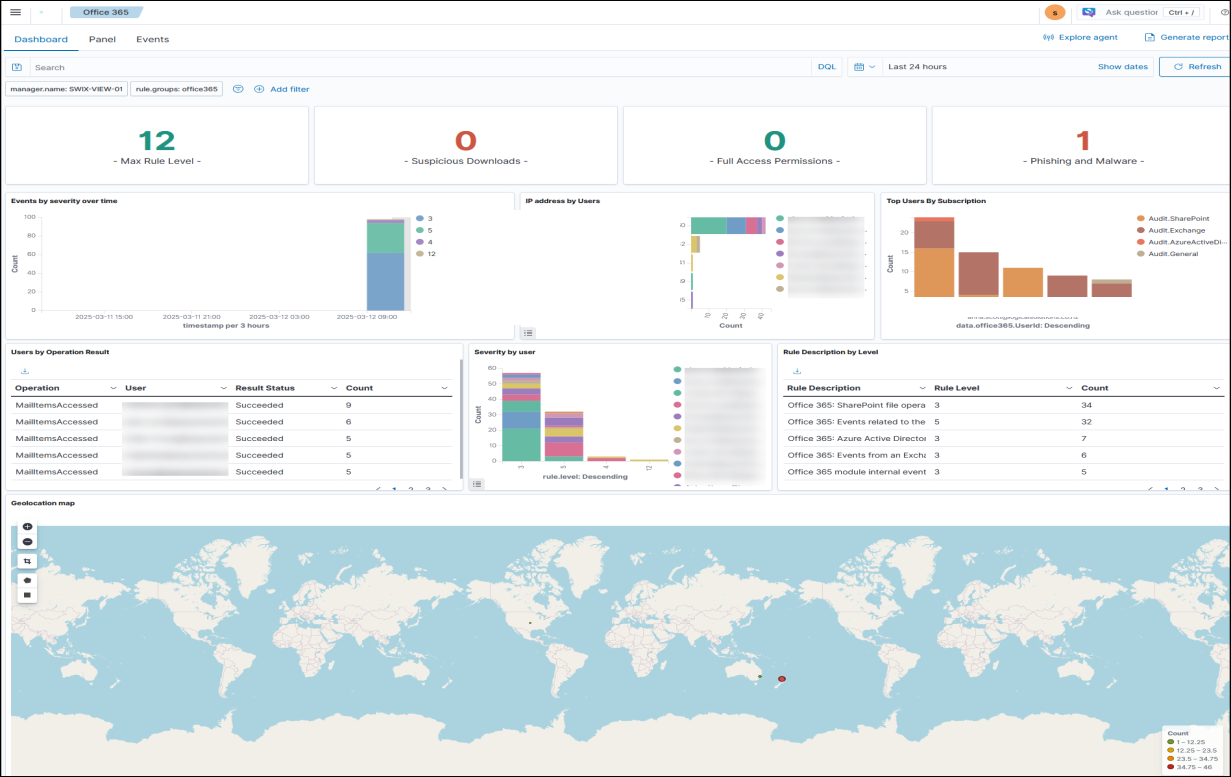
Ongoing training with simulated phishing tests, automatically assigning follow-up training where it’s needed most. - SWIX View — independent, continuous monitoring
Goes beyond Microsoft’s 7-day log retention with anomaly detection, network monitoring, device discovery, and compliance tracking for PCI, GDPR, and HIPAA.
Want to know exactly where your business sits against this stance?
We’ll walk you through your current setup and what, if anything, needs to change.